How to Use Job Change Triggers and Hiring Signals to Fill Your Outbound Pipeline in 2026
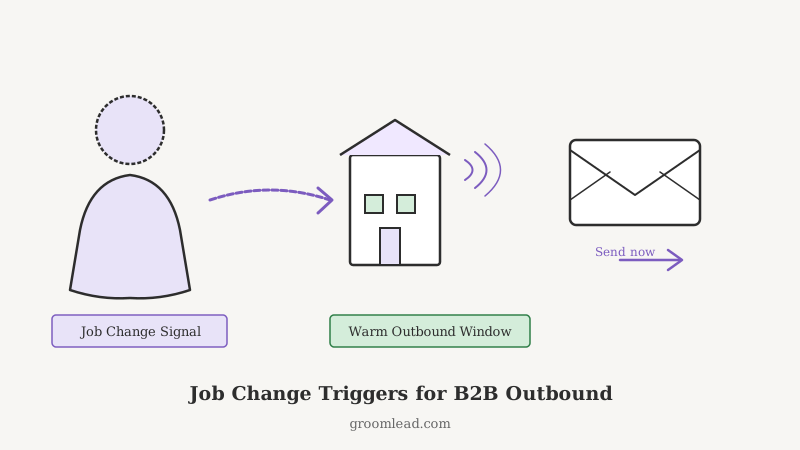
Every rep knows that a cold email sent to someone who just started a new VP role converts at three to five times the rate of a generic cold email sent to the same person six months later. The window is real, it is short, and most teams miss it entirely because they have no system to catch it.
This post covers how to build that system in 2026: which triggers to monitor, how to prioritize them, what to say in the first touch, and which tools tie the whole sequence together.
Why Job Changes Are the Best Trigger in B2B Outbound
A new executive in a role has three things working in your favor simultaneously.
First, they have mandate. New leaders are hired to change something. They are actively looking for vendors, tools, and partners that will help them hit a number in their first 90 days. They are not locked into the incumbent.
Second, they have budget access. Many vendors quietly get defunded when a champion leaves. The new hire often inherits a clean-slate discretionary budget before the annual cycle locks spending in again.
Third, they are reachable. Their inbox is not yet buried. They are still forming their internal relationships. A thoughtful outreach that acknowledges their new role lands very differently than a pitch arriving in month 18.
The net effect: the same message, sent within 30 days of a job change versus six months later, often doubles or triples reply rates. Outbound teams that systematically track job changes do not need more volume. They need better timing.
The Four Trigger Categories Worth Monitoring
Not all job changes are equal. Here is how to think about prioritization.
1. Champion Departures From Your Customers
When your champion at an existing account leaves, that account is now at risk and also a sourcing opportunity. The departing champion is moving somewhere new and likely has similar pain. The replacement is an unknown who may or may not renew.
Work both angles: reach out to the departing champion to understand where they landed, and immediately introduce yourself to whoever is backfilling the role.
2. Champion Departures From Competitor Accounts
If a VP of Sales at a competitor’s customer just took a new role elsewhere, they have fresh mandate and zero loyalty to the incumbent stack. This is one of the warmest cold emails you will ever send.
Pairing this with competitor monitoring (tools like CAM track competitor account activity and personnel changes) lets you surface these moments before competitors know the account is in motion.
3. New Hire Into a Target Account
A VP of Revenue Operations, Head of Sales Enablement, or Chief Revenue Officer hired at a company on your ICP list is a tier-one trigger. They are being hired to solve a problem. If that problem overlaps with what you do, you want to be the first credible option in their research.
Target the new hire directly, not the former incumbent. The former incumbent is already entrenched; the new hire is still forming opinions.
4. Promotions Into Decision-Making Roles
A senior manager promoted to director, or a director promoted to VP, is a high-value trigger that most teams miss because it does not look like a job change in a LinkedIn scrape. But internal promotions carry the same dynamics: fresh mandate, desire to prove ROI, willingness to change the vendor mix.
Building the Monitoring Stack
To catch these events at scale, you need data coming from three layers.
Layer 1: LinkedIn Sales Navigator job change alerts. The most accessible source. Set saved searches on your ICP and enable job change notifications. The limitation is that LinkedIn data lags by weeks and misses stealth hires that are not publicly announced.
Layer 2: B2B data enrichment providers. Providers like Apollo, Clay, and Lusha push job change data through their APIs. GroomLead integrates these signals into outbound sequences so that a job change event can automatically trigger a personalized email cadence within hours rather than days.
Layer 3: Competitor account monitoring. Knowing that a senior buyer just left a competitor’s account, or that a target company just posted five VP-level openings, requires a layer above basic LinkedIn alerts. CAM monitors competitor websites, hiring pages, and account signals continuously, surfacing the events that matter to your pipeline before they become public knowledge.
Running all three in parallel means you are catching job changes that only appear in one source, not all three. The overlap between sources typically covers only 40 to 60 percent of actual job changes in a given month.
The Timing Window: When to Send, When to Wait
The data on job change timing points toward a sweet spot between day 14 and day 45 of the new role. Here is the logic behind each boundary.
Before day 14: the new hire is still in onboarding. They are drinking from a fire hose. Your email will arrive, get starred or snoozed, and be forgotten.
Days 14 to 45: they have started to understand the problems they need to solve. They are beginning to evaluate options. They are likely to respond to something that directly addresses a pain they have already identified internally.
After day 90: the first planning cycle has usually closed. Budget is allocated. Vendors are shortlisted. Being late to this window means competing against an entrenched evaluation rather than shaping it.
For champion departures specifically, reach out to the new hire in the account within 7 days of the change. You want to be the first vendor to re-establish a relationship, not the last.
What to Write in the First Touch
The job change email is one of the few cold emails where referencing the trigger directly increases response rates instead of sounding creepy. New hires expect that their move is visible and that vendors will reach out.
A strong structure for this email:
Line 1 (reason for writing): Acknowledge the new role specifically. Not “congratulations on your new opportunity.” Something like: “Saw you just took on the VP of Revenue role at [Company]. That one’s been growing fast.”
Line 2 (why you’re reaching out now): Connect their likely priorities to a problem you solve. “At [Company], the biggest unlock for new VPs of Revenue we talk to is usually getting their outbound pipeline humming before the first board review.”
Line 3 (what you do): One sentence. No feature list. “We help B2B teams build a reliable, repeatable outbound engine from ICP to booked meeting.”
Line 4 (ask): Low-friction and specific. “Worth a 15-minute call this week to see if there’s a fit?”
Keep the email under 100 words. The job change context does the heavy lifting on relevance. Your job is to not bury it in features.
Sequencing After the First Touch
Job change outreach should not be a single email. The 30-day window is too valuable to spend on one shot. A tight sequence looks like this.
Day 1 (email 1): the opener above.
Day 5 (email 2): a value add. Share a relevant case study, a benchmark report, or a specific insight about their industry. Do not re-pitch. Add something useful.
Day 12 (LinkedIn connection request): personalized message that references the new role. No sales pitch in the connection request.
Day 18 (email 3): the soft close. If you have heard nothing, send a short “still worthwhile?” email that makes it easy to say yes or no. Clarity on no is more valuable than an unread inbox.
Day 28 (optional call): if your product warrants phone outreach, this is the window. By day 28 a new VP has had their first leadership team meeting and is actively solving problems.
Scoring and Prioritizing the Queue
If you are monitoring 200 accounts and catching 30 to 40 job changes per month across all four trigger categories, you need a scoring layer or the queue becomes unmanageable.
Score highest: new hires into decision-maker roles (VP and above) at Tier 1 ICP accounts where you have no existing relationship.
Score second: champion departures from competitor accounts.
Score third: promotions into budget-holding roles.
Score lowest for immediate action but keep warm: mid-level hires that may grow into champions over a 12-month window.
GroomLead builds this scoring and prioritization into its outbound systems, so reps see a ranked daily queue of trigger events rather than a raw data dump. The difference in rep productivity is significant because high-value triggers never get buried under lower-priority outreach.
Integrating Trigger-Based Outbound With Your Existing Cadences
The common mistake is treating trigger-based outreach as separate from the core outbound motion. It should not be. Job change triggers should feed into your standard sequences with personalized first-touch messaging, not run as a parallel program that reps have to manage separately.
The practical setup: when a job change event fires for a contact, that contact gets automatically enrolled into a job-change-specific sequence variant. The variant uses the trigger context in the first two emails, then merges into your standard nurture cadence if there is no reply after 30 days.
This means the trigger is always worked, no one falls through the cracks, and reps spend their manual time on the highest-scoring contacts rather than processing the full queue by hand.
The Compounding Effect Over Time
Teams that run trigger-based outbound for 6 to 12 months consistently report a compounding effect. Every job change is also a data point: you learn which roles tend to convert fastest, which industries have higher job change velocity, and which competitor accounts produce the most valuable departures.
That data feeds back into ICP refinement. Over time you know exactly which trigger categories produce revenue and can focus the monitoring stack accordingly. Outbound stops feeling like a volume game and starts feeling like a timing game. The pipeline fills from a smaller number of higher-quality touches.
Start with the four trigger categories above, add a scoring layer once the volume justifies it, and build the monitoring stack in layers so you are catching events that single-source teams miss entirely. The window is real and most of your competitors are not in it.
Ready to engineer your own GTM system?
GroomLead builds the outbound infrastructure behind 100+ agencies, and the tools inside this post.
Book Strategy Call