Cold Email Deliverability in 2026: How to Land in the Primary Inbox and Keep Outbound Out of Spam
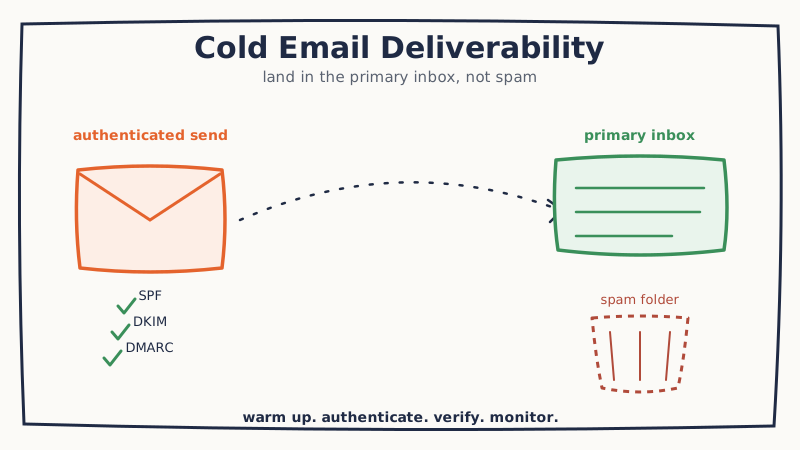
You can write the sharpest cold email of your career, and it will book zero meetings if it never reaches a human. Deliverability is the silent tax on outbound: the percentage of your sends that quietly land in spam, in the Promotions tab, or in a mailbox provider’s black hole where no one will ever scroll. Most teams never see it happening, because the emails do not bounce. They just fail to arrive where a person actually reads.
In 2026 the bar is higher than it has ever been. Google and Microsoft now enforce authentication and spam-rate thresholds that used to be optional, and the AI-driven volume of cold outbound has made mailbox providers far more aggressive about filtering anything that looks templated or unproven. Getting into the primary inbox is no longer a one-time DNS chore. It is an ongoing system. Here is how we build and maintain that system at GroomLead for the outbound programs we run.
Deliverability is a reputation score, not a single setting
Mailbox providers decide where your email lands based on a running reputation attached to your sending domain and IP. Every send either builds or erodes that score. High open and reply rates, low spam complaints, low bounce rates, and consistent volume push you toward the inbox. Spam-trap hits, dead addresses, sudden volume spikes, and recipients marking you as junk push you toward the spam folder, and once you are there it can take weeks of disciplined sending to climb back out.
The practical takeaway: deliverability is not something you configure once and forget. It is a score you feed every single day with your sending behavior. Everything below is about protecting that score.
Step 1: Separate your sending domain
Never send cold outbound from your primary company domain. If a cold campaign burns your reputation, you do not want it dragging down the transactional and internal email that your business actually depends on.
Buy a set of dedicated look-alike domains for outbound (for example, trygroomlead.com or groomlead-hq.com alongside your primary groomlead.com) and send cold campaigns only from those. If one gets flagged, you retire it without touching the mailbox your team lives in. Spread volume across several domains and mailboxes rather than hammering a single one, and keep each mailbox to a conservative daily send count.
Step 2: Authenticate with SPF, DKIM, and DMARC
Authentication is how a mailbox provider confirms your email is really from you and not a spoofer. In 2026 this is mandatory, not optional. Missing records are one of the fastest ways to route straight to spam.
- SPF lists which servers are allowed to send on behalf of your domain. Publish one SPF TXT record per sending domain and keep it within the ten-lookup limit.
- DKIM cryptographically signs each message so the recipient can verify it was not tampered with in transit. Enable DKIM signing in your sending platform and publish the public key in DNS.
- DMARC tells providers what to do when SPF or DKIM fails, and gives you reporting on who is sending as your domain. Start at
p=noneto monitor, then tighten toquarantineorrejectonce your legitimate mail passes cleanly.
Get all three right before you send a single cold email. They are the price of admission, and they take an afternoon to set up.
Step 3: Warm up every new domain and mailbox
A brand new domain that suddenly sends two hundred cold emails on day one looks exactly like a spammer. Warmup is the process of gradually building a positive sending history so providers learn to trust you.
Start with a handful of sends per day per mailbox, ideally to engaged recipients who open and reply, and ramp volume slowly over three to six weeks. Warmup networks that generate automatic positive engagement can accelerate this, but the principle is the same either way: earn trust with low volume and real engagement before you scale. Rushing warmup is the single most common reason a fresh domain lands in spam on its first real campaign.
Step 4: Verify your list before you send
Nothing damages a young reputation faster than sending to dead addresses. A high bounce rate is a direct signal to mailbox providers that you are not maintaining your list, and spam traps (recycled or purpose-built addresses that flag senders) can quietly poison a domain for months.
Before any campaign, verify every address and enrich the record so you are sending to a real, current person. This is where accurate data matters as much as clean syntax. Triguna returns structured, current firmographic and contact data from a LinkedIn profile or company identifier in a single API call, so you can confirm a prospect still works where your list says they do before you ever hit send, which cuts bounces at the source rather than after the damage is done. Re-verify lists that have been sitting for more than a few weeks, because B2B contact data decays fast and last quarter’s clean list is this quarter’s bounce problem.
Step 5: Keep content and volume human
Even a perfectly authenticated, well-warmed domain can trip filters if the content or cadence looks robotic. A few habits that protect inbox placement:
- Vary your copy. Identical templates blasted to thousands of recipients are trivial for filters to fingerprint. Personalization at the individual level is not just better for reply rates, it is better for deliverability.
- Go easy on links and images. One relevant link is fine. A wall of tracking pixels, multiple links, and heavy HTML reads as a marketing blast.
- Avoid spam-trigger patterns. All-caps subject lines, urgency spam, and money-word stuffing still get scored.
- Keep volume steady. Providers reward predictable, human-paced sending. A tool like VSDR deploys an AI sales development rep that researches each prospect and writes individually personalized messages at a controlled, human-like cadence, which keeps both your reply rate and your sender reputation healthy instead of trading one for the other.
Step 6: Reply fast, because engagement is a ranking signal
Mailbox providers watch what recipients do with your email. Replies, stars, and moves into a folder are strong positive signals; ignored or deleted mail is neutral to negative. That means the speed and quality of your reply handling is a deliverability lever, not just a sales one. When a prospect responds and gets a fast, relevant answer, the resulting thread engagement tells the provider your mail is wanted.
The problem is that replies arrive around the clock and a delayed or clumsy response wastes the signal. Underfive.ai categorizes and drafts responses to inbound replies within minutes, so positive engagement keeps flowing and your threads stay active while intent is still hot. Every genuine back-and-forth you generate is a small deposit into your sender reputation.
Step 7: Monitor placement continuously
You cannot manage what you cannot see. Set up DMARC reporting, watch your bounce and complaint rates in your sending platform, and run periodic seed tests to confirm where your mail is actually landing across Gmail, Outlook, and the other major providers. Watch for the early warning signs: a creeping bounce rate, a dip in open rates on a domain that was fine last week, or replies drying up. Catch a reputation slide early and you can throttle back and recover. Miss it, and you find out when an entire campaign vanishes into spam.
A quick-start deliverability checklist
- Send cold outbound only from dedicated look-alike domains, never your primary company domain.
- Publish SPF, DKIM, and DMARC on every sending domain before the first send.
- Warm up each new mailbox slowly over three to six weeks.
- Verify and enrich every list right before sending, and re-verify anything older than a few weeks.
- Personalize copy, limit links, and keep daily volume steady and human-paced.
- Respond to replies fast to feed positive engagement signals.
- Monitor bounces, complaints, and inbox placement continuously, and throttle at the first sign of trouble.
Deliverability is not glamorous, and it is not a growth hack. It is the plumbing that decides whether the rest of your outbound investment reaches a person at all. Teams that treat it as an ongoing system, rather than a one-time setup, are the ones whose cold email keeps landing in the primary inbox while their competitors quietly disappear into spam. If you would rather have that infrastructure built, warmed, and monitored for you instead of assembling it in-house, that is exactly the kind of outbound system GroomLead runs for its clients every day.
Ready to engineer your own GTM system?
GroomLead builds the outbound infrastructure behind 100+ agencies, and the tools inside this post.
Book Strategy Call